 iPhone
 iPad
iPad Apple Watch
 Samsung Galaxy
 Google Pixel
Dropped your phone in water? Do these 6 things first
It happens in a second — the toilet, the sink, a pool, a spilled drink. The good news: a wet phone is often recoverable. The catch is that water damage isn't really about the water — it's about corrosion, which starts the moment liquid meets a powered circuit board and keeps spreading for days. What you do in the first ten minutes matters more than anything else.
Here's the order we'd want you to follow — straight from years of bringing water-damaged iPhones and MacBooks back to life.
1. Get it out of the liquid and power it off — now
Retrieve the device as fast as you safely can, then turn it off immediately and leave it off. A powered board in the presence of moisture is what fries components — short circuits do the real damage, not the water itself. Don't check if it "still works." Off is the single most protective thing you can do.
2. Do not plug it in or charge it
Pushing current through a wet charging port is a fast track to a shorted charge-IC chip — one of the most common board failures we see. Resist the urge to plug in and "see if it's okay." Same goes for pressing buttons repeatedly, which can pull liquid deeper inside.
3. Dry the outside and shake out the ports
Wipe the phone down with a soft cloth. Hold it with the charging port facing down and gently tap to coax water out of the port and speaker grilles. If it was salt water, sugary soda, or pool water, this is even more urgent — those leave behind especially aggressive, conductive residue.
4. Skip the rice. Really.
The rice trick is the most stubborn myth in phone repair. Rice draws moisture out of the air incredibly slowly — far too slowly to beat corrosion that's already underway — and rice dust and starch routinely get lodged in the charging port and speakers, creating a second problem. A bag of silica gel packets is marginally better, but neither reaches the liquid sitting inside, sealed against the logic board. By the time the surface feels dry, the damage on the board has been done.
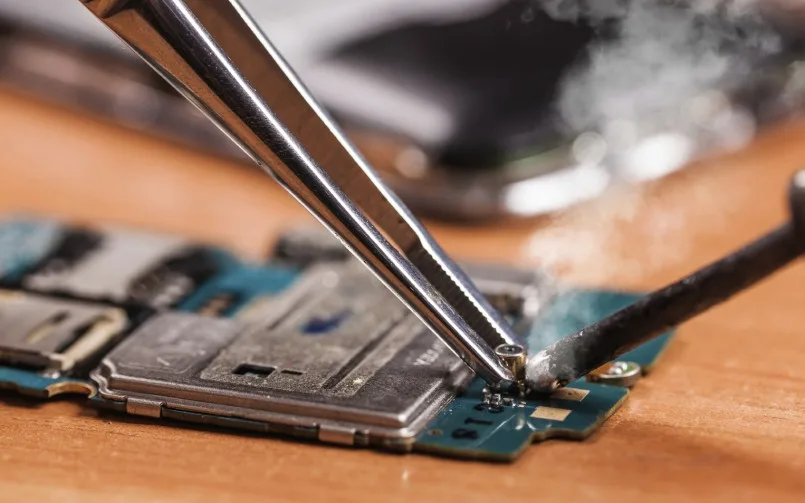
The honest truth: the only reliable fix for liquid that has reached the board is to open the device, professionally clean the corrosion, and repair any damaged components. That's board-level work.
5. Leave it off and bring it in fast
Every hour a wet device sits, corrosion advances. The sooner a technician can open it up, clean the board in an ultrasonic bath, and assess the damage, the better your odds — both for the phone and for the photos and data on it. If you can't get to us right away, keep it powered off and somewhere dry; don't keep testing it.
6. Back up your memories the moment it powers on (if it does)
If your device does come back to life, treat it as borrowed time and back up to iCloud or your computer immediately. Liquid-damaged devices can be unpredictable — some run for years, some for only weeks — so get your photos and contacts somewhere safe right away.
When it won't turn on: this is exactly what we do
A dead, water-damaged phone is not automatically a lost phone. At Gelatotech we do board-level micro-soldering — the advanced repair most shops won't touch. We open the device, clean the corrosion off the logic board, and repair the damaged chips and traces at the component level. In many cases that's enough to recover the device, or at least to perform data recovery and rescue your photos, videos, and contacts.
We'll always be straight with you: liquid damage comes with no guarantees, and we don't charge a diagnostics fee on repairs we successfully complete. If we genuinely can't fix it, there's only a small diagnostics fee — or you can donate the device and we'll waive it.
- In San Francisco? Call or text us and we'll arrange the fastest drop-off — speed is everything with liquid damage.
- Anywhere else in the US? Our mail-in service handles water-damage and board-level repairs from coast to coast.
See what's possible on our micro-soldering & water-damage page, or just call (415) 621-9055 now — the faster we see it, the more we can save.